
Video Demo: MQTester for AUTOSAR AP Model...
Read More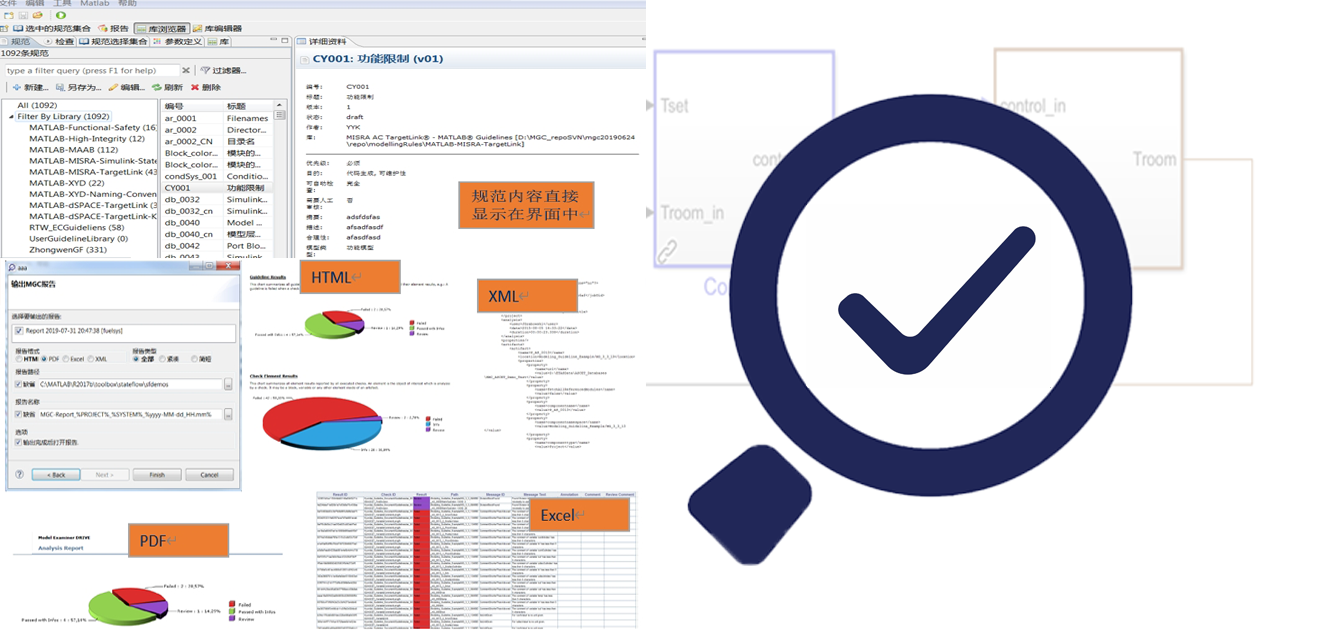
Model Guideline Checker (MGC)
Click the button below to apply for a free trial.
MGC 2024 has been released! It supports MATLAB 2010a–2024b, includes new SLDD features added after MATLAB 2019, supports mpt parameter types, and offers enhanced Stateflow syntax analysis capabilities.
The new version delivers comprehensive performance improvements across all aspects. For details, please download the MGC2024 Highlights document or Release Notes.
Video Demo: MQTester for AUTOSAR AP Model...
Read MoreVideo Demo: Real‑Time Recording of Data Store...
Read MoreVideo Demo: Handling Isolated Elements in MQTester...
Read MoreVideo Demo: Using the Expectation Function expExpress...
Read MoreMCChecker provides static guideline checking for models in accordance with ISO 26262 requirements. The tool incorporates all publicly available human modeling guidelines found on the market, such as those from dSpace, MAAB, Misra AC SLSF, Misra AC TL, HISL HISF, and also includes valuable guidelines summarized from our practice of creating custom guidelines for clients. It is currently the software with the most comprehensive guideline coverage on the market. Using this software enables automatically generated code to maximally comply with Misra C 2012 requirements while also meeting ISO 26262 requirements for modeling guidelines, making the testing process simple and fast.
The MAAB 5.0 guidelines incorporate experience from guidelines developed for the North American and Japanese markets, reference modeling guidelines published by Misra, and include significant expansions from the original version 3.0. They establish more rules regarding model performance and block usage. Existing guidelines are described in greater detail according to new Matlab features, greatly enhancing their practicality. Therefore, support for MAAB 5.0 is a primary condition for selecting a guideline checking software.
Model Guideline Checker fully supports MAAB 5.0, newly implementing automatic checking for over 100 guidelines. It also optimizes the algorithms and checking logic for the original guidelines included in MAAB 5.0 based on Matlab modeling characteristics.
Checking for common errors in code, such as division by zero, numerical overflow, array out-of-bounds access, data exceeding range, invalid logic, incorrect memory read/write order, and denormal numbers (numbers smaller than the smallest representable normalized floating-point number), is a fundamental function of code checking. These errors also exist in models, leading to generated code containing them. Therefore, detecting these issues during static analysis can save significant testing effort and greatly improve software operability.
Leveraging the functionality of DV, Model Guideline Checker implements checks for the above errors. During the checking process, it automatically analyzes block compatibility with DV, eliminates incompatibility factors, and enables rapid checking of the aforementioned errors through simple operations.
Providing solutions to multiple testing challenges in the development of high-safety, high-complexity model-based systems.
MGC supports automatic report generation in multiple formats including HTML, PDF, Excel, and XML. The content is intuitive, allowing for direct use in communications or presentations to clients and management without re-checking.